

Why No-Code App Development Is Changing the Digital Landscape
Build no-code app solutions enable anyone to create functional mobile apps, web apps, and internal tools using visual drag-and-drop interfaces—no programming skills required. Here’s how to get started:
- Choose a no-code platform based on your app type (mobile, web, PWA) and needs
- Design your interface using pre-built templates and components
- Configure functionality through visual workflows and logic blocks
- Connect integrations for payments, APIs, and third-party services
- Test and publish directly to app stores or the web
The no-code revolution has democratized app development in a way that seemed impossible just a few years ago. What once took months and tens of thousands of dollars can now be accomplished in weeks or even days. The no-code market is projected to reach $65 billion by 2027, reflecting a massive shift in how digital products are built.
This change isn’t just about speed—it’s about accessibility. Entrepreneurs can validate ideas without breaking the bank. Designers can turn prototypes into working apps without waiting on developers. Businesses can build custom internal tools that solve specific problems. Small teams can launch products that compete with venture-backed startups.
No-code platforms cut down on complex development costs, reduce time-to-launch, and allow non-technical people to build and test ideas quickly. They use visual programming interfaces, pre-built components, and drag-and-drop builders that anyone can learn. You’re configuring rather than coding, which means faster iteration and more control over your product.
But here’s what makes this truly powerful: no-code doesn’t mean limited. Modern platforms can handle hundreds of thousands—even millions—of users. They support native mobile features, complex business logic, API integrations, and production-grade security. Many Fortune 500 companies now use no-code tools alongside traditional development.
I’m Mo Aguilar, and over two decades of building digital brands, I’ve watched the web evolve from hand-coded HTML to sophisticated no-code platforms that empower anyone to build no-code app solutions that actually scale. Whether you’re a startup founder, a designer, or a business looking to modernize operations, this guide will show you the exact path from idea to launched app.
Explaining No-Code: From Idea to Reality Without Code
At its core, to build no-code app solutions is to create software without writing traditional code. Think of it as using LEGOs: you assemble applications with pre-built, configurable blocks in a visual interface. This approach makes software development, once exclusive to skilled engineers, accessible to anyone with a clear idea.
How It Works: The Magic Behind the Visuals
No-code app builders operate on the principle of visual development. Instead of typing complex commands, you interact with a graphical user interface (GUI).
- Drag-and-Drop Interface: The hallmark of no-code. You drag elements like buttons, text fields, and images onto your app screen. It’s intuitive, fast, and feels more like design than engineering.
- Pre-built Components: Platforms come packed with ready-to-use components for common features like login screens or data lists. These blocks are pre-coded and optimized, saving immense development time.
- Declarative Interface: You “declare” what you want the app to do, rather than “program” how. For example, you select a database table and tell a component to display its contents. The platform handles the underlying technical work.
Advantages: Why We Love No-Code
The benefits of no-code are compelling, especially for businesses in dynamic markets like San Diego, Los Angeles, Miami, and Las Vegas, where speed is key.
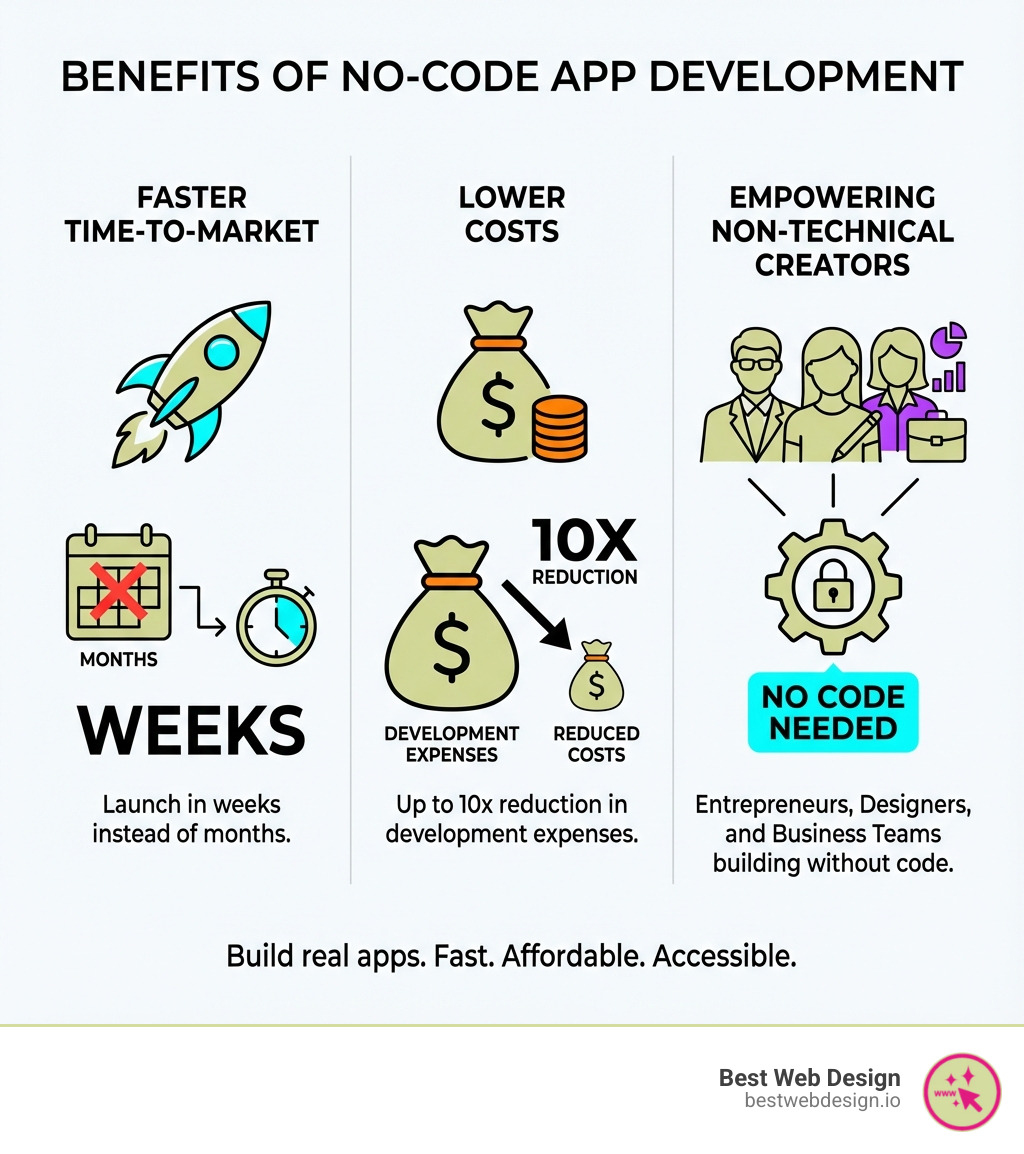
- Rapid Prototyping and Launch: Go from idea to launch in weeks or even days, not months. This speed allows for faster validation, user feedback, and quick iteration.
- Reduced Development Costs: Eliminating extensive coding significantly cuts development expenses, making app creation affordable for startups and small businesses without a large upfront investment.
- Empowering Citizen Developers: No-code enables non-technical individuals like designers and entrepreneurs to build their own tools. This frees up professional developers to focus on more complex, custom-coded projects.
- Increased Agility and Iteration: The visual interface makes it easy to modify and improve your app. Changes can be made in minutes, not days, allowing for constant refinement.
Disadvantages: Knowing the Limits
While no-code is a superpower, it’s important to understand its limitations to choose the right tool.
- Limited Customization: Relying on pre-built blocks can constrain highly unique designs or non-standard functionalities. While platforms are more flexible than ever, there can be a ceiling.
- Platform Dependency: You build within a specific ecosystem, making you dependent on the provider for updates, security, and features. You typically don’t “own” the underlying code.
- Potential Performance Ceilings: While many no-code apps scale well, extremely high-traffic or computationally intensive applications might eventually hit performance limits compared to a custom-coded solution.
- Narrow Focus: Many no-code apps are designed to solve one business challenge, which can lead to businesses using multiple apps for different purposes.
What Types of Apps Can We Build?
The versatility of no-code platforms has exploded. Today, we can build no-code app solutions for a wide array of purposes:
- Mobile Apps: Publishable to the Apple App Store and Google Play Store, with access to native features like notifications and location services (e.g., Thunkable, Adalo).
- Web Apps: Browser-based applications with logged-in experiences like dashboards or social networks (e.g., Bubble).
- Progressive Web Apps (PWAs): Web apps that offer a native app-like experience directly from the browser.
- Internal Tools: Custom tools for inventory management, logistics, employee onboarding, or other operational needs.
- Voice Apps & Chatbots: AI-powered voice assistants for Google Assistant and Alexa or custom chatbots for customer service (e.g., Voiceflow).
No-Code Development vs. Traditional Coding
This table highlights the key differences between no-code and traditional coding:
| Feature | No-Code Development | Traditional Coding |
|---|---|---|
| Speed | Weeks to days; rapid prototyping and iteration | Months to years; longer development cycles |
| Cost | Significantly lower upfront and ongoing costs | High upfront investment in developers and tools |
| Flexibility | Good for most common use cases, some customization limits | Virtually limitless customization and complexity |
| Skill Required | No coding knowledge; visual, intuitive tools | Deep programming language expertise required |
| Maintenance | Platform handles infrastructure, security, updates | Requires dedicated dev team for maintenance, updates |
Your Step-by-Step Guide to Build a No-Code App
Starting the journey to build no-code app solutions is straightforward when broken down into manageable steps. This section provides a practical framework for turning an idea into a functional application.

Step 1: Ideation and Scoping
Before touching a no-code platform, a clear vision is essential for a solid foundation.
- Define Your App’s Purpose: Clearly state the problem your app solves and the value it provides. For example, a car detailing app simplifies appointment booking.
- Identify Your Target Audience: Know who will use the app to tailor its features and design to their preferences.
- List Core Features (MVP): Focus on the Minimum Viable Product (MVP)—the essential features that deliver core value, like booking, service selection, and payment for the detailing app.
- Sketch a User Flow: Map the user’s journey. How do they steer from one screen to the next? Simple sketches on paper or a whiteboard are perfect for this.
- Plan Your Data Structure: Think about the data you need to store (e.g., user profiles, appointments) and how it connects. This will be your app’s database foundation.
Step 2: Designing the User Interface (UI) and Experience (UX)
This is where your app starts to take shape visually. A great user experience is paramount for user retention and business growth.
- Wireframing: Create low-fidelity outlines of your app’s screens to focus on layout and functionality without aesthetic distractions.
- Prototyping: Build interactive mockups that simulate your app’s functionality. Tools like Figma or Adobe XD are excellent, and platforms like Bravo Studio can convert these designs directly into native apps.
- Using Templates: Most no-code platforms offer templates that are fantastic starting points with pre-designed layouts you can customize.
- Brand Consistency: Ensure your app’s design aligns with your brand identity through consistent colors, fonts, and imagery.
- Responsive Design: Your app must look and function perfectly on all devices. Modern no-code builders inherently support responsive design.
For more insights into creating compelling digital experiences, you can explore More info about our design process.
Step 3: Building Your App’s Functionality
Now, we bring your design to life by adding the “brains” to your app.
- Configuring the Database: Set up collections (like tables) and fields (like columns) in your platform’s database based on your data plan.
- Building Workflows and Logic: This is the core of visual programming. Define what happens when a user acts. For example, “When user clicks ‘Book Appointment,’ create a new entry in the ‘Appointments’ database and send a confirmation email.” This is often done using block-based logic, similar to how MIT’s Scratch teaches programming.
- Using Visual Programming Concepts: Instead of writing code, you’ll connect visual blocks representing conditions and actions, making complex logic accessible.
- Setting Up User Authentication: If your app requires logins, configure authentication methods (e.g., email/password, social logins) to secure user-specific data.
Step 4: Integrating, Testing, and Launching
This final stage ensures your app is robust, connected, and ready for users.
- Connecting to Third-Party Services via APIs: Integrate with services like Stripe for payments or a CRM to extend functionality. No-code platforms simplify API connections, or you can use tools like Zapier and Make for automation.
- Live Preview and Testing: Use the live preview feature to interact with your app as you build. Thoroughly test every feature and user path to catch bugs.
- Debugging: When things don’t work as expected, use the platform’s debugging tools to identify and fix issues.
- Publishing to App Stores or the Web: Once tested, it’s time to launch! Native mobile apps can be published to the Apple App Store and Google Play Store. Web apps and PWAs are deployed to the web.
- Gathering User Feedback for Iteration: Launching is just the beginning. Continuously gather user feedback to iterate and improve your app, a key strength of no-code development.
Choosing Your No-Code Toolkit: Key Features to Look For
The market is filled with fantastic no-code platforms. Selecting the right one is crucial for your success, much like choosing the right tools for a job in San Diego’s tech scene or Las Vegas’s startup ecosystem.

Key Features for a Powerful No-Code Platform
When we guide our clients in Los Angeles, Miami, and beyond, we emphasize these critical considerations:
- Ease of Use vs. Power: Some platforms are easy for beginners (like Softr), while others offer immense power with a steeper learning curve (like Bubble). Your choice depends on your comfort level and project complexity.
- Design Flexibility: Can you achieve your desired look and feel? Look for platforms with extensive UI customization. Bravo Studio, for example, excels by converting Figma or Adobe XD designs into native apps.
- Database and Backend Capabilities: A robust app needs a powerful backend. Platforms like Xano and Backendless specialize in providing scalable backends that can power any frontend. Backendless even uses a visual programming language inspired by MIT’s Scratch.
- Essential Integration Types: Ensure the platform supports key integrations for payments, CRMs, marketing automation, and social media. General API access is vital, allowing your app to connect to countless third-party services, either directly or through tools like Zapier and Make.
How to Build a No-Code App That Scales
Scalability and security are no longer weaknesses of no-code; modern platforms have shattered these myths.
- Scalability and Performance: Today’s no-code apps can scale to handle millions of users. Platforms like Webflow Cloud provide secure, scalable hosting built for enterprise performance. Leading agencies leverage these platforms for their clients, confident they can handle growth. The platform provider manages the infrastructure, ensuring your app can handle increased demand.
- Security and Compliance: Data privacy is paramount. Look for platforms offering data encryption, regular security audits, and compliance with standards like GDPR, SOC 2 Type 2, and ISO 27001. Secure authentication (including SSO) and granular, role-based access controls are also key.
- Pricing Models: No-code pricing varies. Common models include:
- Tiered Plans: Different features and limits at set price points.
- Usage-Based: Costs scale with your app’s workload (e.g., Bubble).
- Per-User: Often used for internal or enterprise tools.
- Pricing can range from fixed monthly fees (like Adalo, starting around $36/month) to scalable models. It’s wise to compare plans and watch for promotions.
- Community and Support: A vibrant community, extensive documentation, and responsive customer support are invaluable, especially when you’re starting. Resources like Makerpad offer tutorials and case studies to help you find solutions.
Advanced Considerations: AI, Integrations, and Enterprise Needs
The no-code landscape is rapidly evolving, with powerful new capabilities for complex projects. As a digital agency in Los Angeles and Las Vegas, we’re constantly amazed by the sophisticated solutions we can now build using no-code app technologies.
The Role of AI in No-Code Development
Artificial intelligence is deeply integrated into modern no-code platforms, making app creation more intelligent and efficient.
- AI-Powered Generation: Some platforms can turn natural language descriptions into functional websites or apps, generating pages and features automatically.
- Automating Workflows: AI can streamline complex processes within your app, such as categorizing data, generating reports, or predicting user behavior. Glide, for instance, helps businesses build AI-powered apps for inventory and logistics.
- Data Analysis and Insights: AI can process large datasets within your no-code app to provide actionable insights for smarter business decisions.
- Building AI Chatbots and Voice Assistants: With platforms like Voiceflow, anyone can build intelligent chatbots or voice interfaces for Google, Alexa, or in-car assistants without code.
To keep up with the latest advancements in AI and no-code, Check out our blog for more tech insights.
Tips to Build a No-Code App with Robust Integrations
Integrations are the lifeblood of modern applications, allowing them to connect and share data with other services.
- API Connectivity: Most no-code platforms offer native integrations or allow direct API calls to connect with external services like payment processors or custom backends like Xano.
- Using Middleware Tools for Complex Connections: For intricate integrations, tools like Zapier or Parabola act as a bridge, automating data-related tasks between various apps and services.
- Webhooks: These are automated messages sent from apps when an event occurs, enabling real-time communication and triggering workflows in other services.
- Ensuring Data Privacy Across Services: When integrating services, always ensure each one adheres to data privacy regulations like GDPR and that data is transmitted securely.
Enterprise-Grade No-Code
No-code has evolved to meet the higher demands of large organizations.
- Handling High User Loads: Platforms are built on scalable cloud infrastructure designed to manage millions of users, which is critical for businesses in high-traffic markets like Miami or Las Vegas.
- Advanced Security Controls: Enterprise solutions offer heightened security, including data encryption and compliance with standards like FedRAMP, ISO 27001, and SOC 2 Type 2.
- Role-Based Access: Granular access controls are essential for large teams, ensuring users only see data and features relevant to their roles.
- Dedicated Hosting and Infrastructure: Some platforms offer dedicated hosting on public or private clouds (e.g., Azure) for greater control over performance and security.
- Governance and Compliance: These platforms provide robust governance features to manage application lifecycles, enforce standards, and ensure regulatory compliance.
Frequently Asked Questions about Building No-Code Apps
We often hear similar questions from aspiring app builders and business owners across San Diego, Los Angeles, Miami, and Las Vegas. Let’s address some of the most common ones.
Will no-code tools replace developers?
This is a recurring concern, and our answer is a resounding no. No-code app builders have become incredibly useful and popular, but they won’t replace developers. Instead, they empower them. No-code tools are fantastic for building simpler apps quickly, freeing up developers for more complex projects that require custom code and extensive customization.
Think of it this way: no-code allows non-technical teams to build internal dashboards, simple customer portals, or event apps, which traditionally would have consumed valuable developer time. This means developers can focus on innovative, core product features, complex algorithms, or intricate system integrations. No-code fosters collaboration, allowing business teams to rapidly prototype and launch solutions, while developers tackle the truly challenging, high-value work. It’s about efficiency and specialization, not replacement.
Can no-code apps scale to millions of users?
Absolutely! This is one of the biggest misconceptions about no-code from just a few years ago. Modern no-code platforms are built on robust cloud infrastructure (like AWS, Google Cloud, or Azure), which is inherently designed for massive scalability.
No-code apps can scale to handle hundreds of thousands—even millions—of users. Platforms like Xano, which focuses on scalable backends, are specifically designed for high-scale applications. The key is that the platform provider manages the complex infrastructure, ensuring your app can grow without you needing to worry about server maintenance, load balancing, or database optimization. For us, this means we can confidently build no-code app solutions for clients, knowing their success won’t be hampered by technical limitations.
Do I own the code when I build a no-code app?
Generally, no, you do not “own” the underlying code in the traditional sense. When you build no-code app solutions, you are configuring pre-made, proprietary components within the platform’s ecosystem. The platform generates the necessary code behind the scenes, but it’s typically tied to their infrastructure.
What you do own is your data and your intellectual property (the design, logic, and unique functionality you’ve created). Most no-code builders do not allow for code exporting, as the output is intrinsically linked to their system. However, some platforms offer data export options, and there are increasingly ways to integrate with external databases or APIs to maintain more control over your data. This is a trade-off for the speed and ease of development that no-code provides.
Conclusion
The journey to build no-code app solutions is more accessible and powerful than ever before. We’ve seen how these innovative platforms democratize technology, enabling entrepreneurs, designers, and businesses across San Diego, Los Angeles, Miami, and Las Vegas to bring their digital visions to life with unprecedented speed and efficiency. From rapid prototyping to significant cost reductions, the advantages are clear.
While no-code has its limitations in terms of ultimate customization and platform dependency, its continuous evolution, particularly with the integration of AI and robust scaling capabilities, has cemented its place as a transformative force in the tech industry. It’s not just about building simple apps anymore; it’s about creating sophisticated web, mobile, and even AI-powered solutions that can handle enterprise-grade demands.
The future of app development is inclusive, empowering everyone to innovate and create. If you have an idea, there’s likely a no-code path to making it a reality. For expert guidance in creating a high-performance, conversion-focused digital product with no-code solutions, explore the custom Offerings from Best Web Design.